 DeskUtils
12 tools. One Mac app.
Everyday Mac tools, always within reach.
Capture, copy, switch, pick colors and stay focused — without breaking your flow.
Free version available · Requires macOS 15.2+

Screenshot
Capture exactly what you mean to show.
Capture your screen. Annotate, blur and share.
Capture Area⌥⇧⌘4
Scrolling Capture⌥⇧⌘6
Capture Active Window⌥⇧⌘9
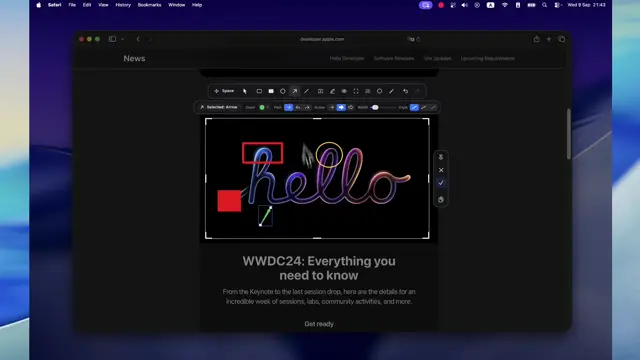
Add arrows, counters and highlights, and blur private details.
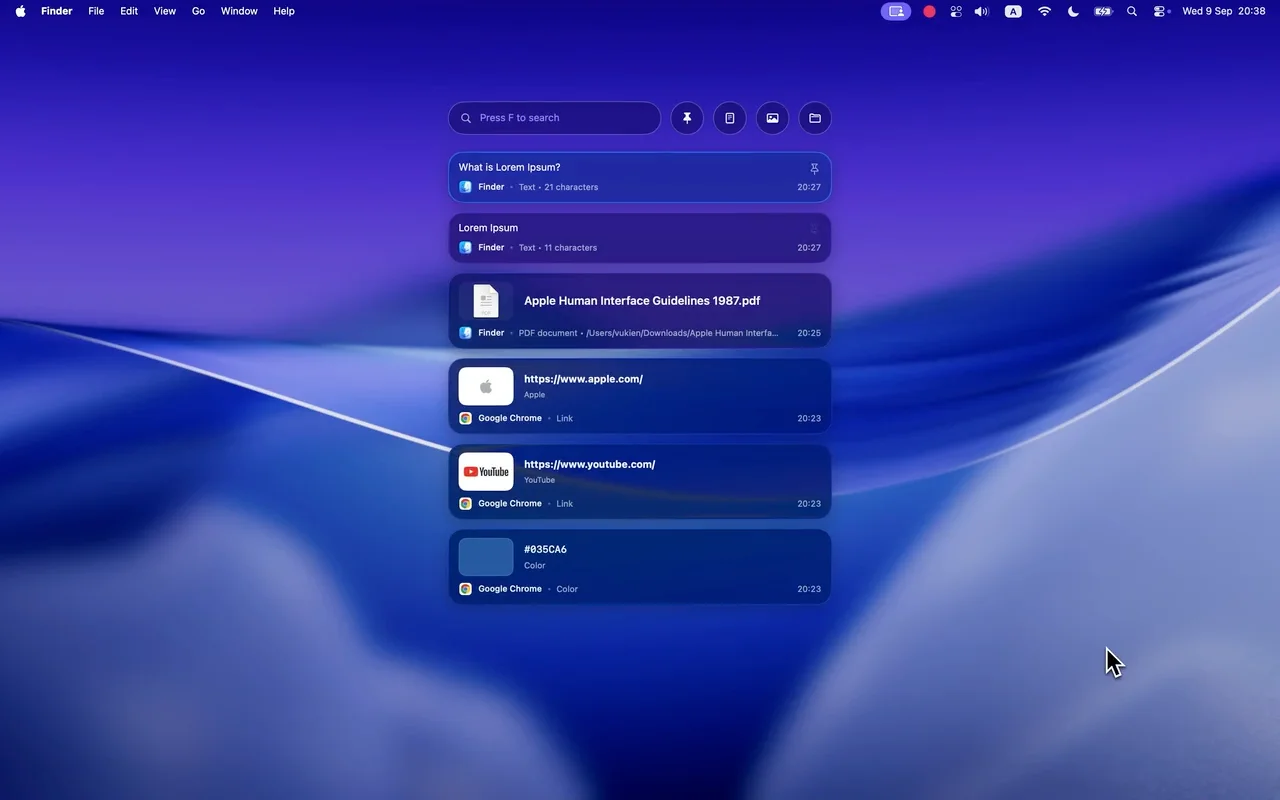
Clipboard Manager · ⇧⌘V
Copy now. Find it again later.
Search text, images and files
Pin your everyday snippets
Paste into your active app
Link previews may fetch page details from the web.
Quick Ring
Your favorite tools. Two taps away.
Press ⌘ twice, then choose an action.
Customizing which actions appear requires Pro. Explore Quick Ring →

Focused tools
Grab a color, copy any text, find the right window.
Capture Text
Copy text you can see but can’t select, or read a QR code. Text recognition runs on your Mac.
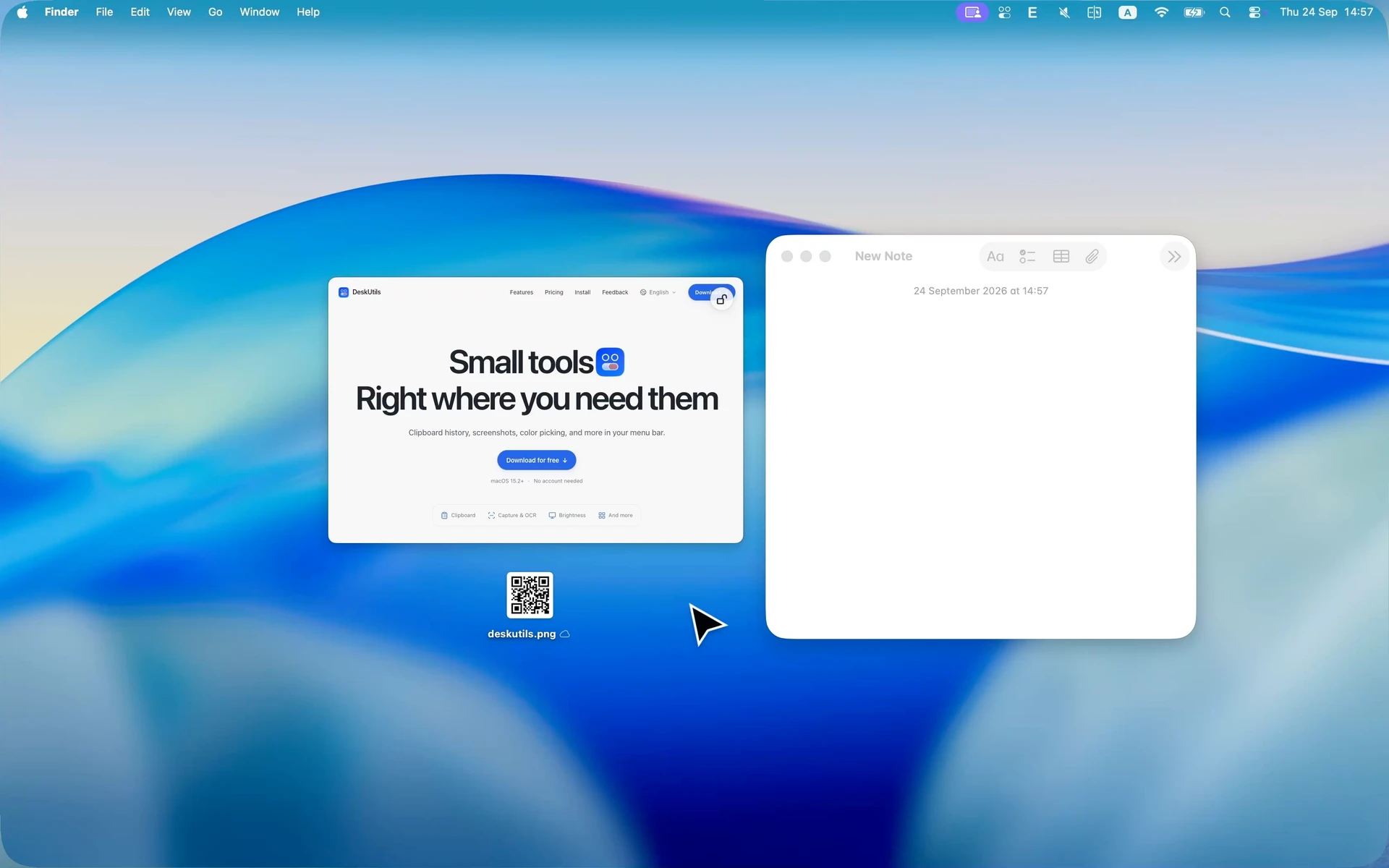
Window Switcher
See every window on ⌘Tab, and preview windows when you hover over the Dock.
Window Switcher →Utilities
Small utilities for the moments macOS doesn’t cover.
Prevent SleepMouse JigglerClean KeyboardDisplay DimmingExternal Display OnlySystem Monitoring
Prevent Sleep · ⇧⌘P
Keep your Mac awake.
Prevent Sleep keeps long tasks running without moving the pointer.
Keep your pointer moving.
Mouse Jiggler stays within an area you choose.
Wipe the keyboard without typing
Clean Keyboard locks the keys until you’re done.
Tone down a bright second screen
Display Dimming darkens an external display.
Work on your external display only
Turns off your Mac’s built-in screen.
Available on compatible MacsSystem Monitoring
Keep an eye on your Mac.
CPU, memory and disk use, right from the menu bar.
Free to start. Pro when you need more.
Start with the tools you use every day. Add more when you need it.
Free
Everything essential, free forever.
For everyday copying and capturing.
$0No license needed
- 50 clipboard items
- Screenshots & annotation
- Color Picker
- Clean Keyboard & Prevent Sleep
No account. No payment details.
DeskUtils Pro🚀 Launch Offer
Unlock more tools.
One-time payment. No subscription.
Launch codeLAUNCH799
- Use on up to 2 devices
- Everything in Free
- Extended clipboard history
- OCR
- Scrolling Capture
- Capture Subject
- Persistent display dimming
First 100 customers · Then $14.99
Frequently asked questions
Get in touch →Is DeskUtils a subscription?
No. Pay once for DeskUtils Pro. Your license never expires.
How many Macs can I use DeskUtils on?
Each DeskUtils Pro license can be activated on up to 2 devices.
Which version of macOS do I need?
DeskUtils requires macOS 15.2 or later. Check the release notes for the supported Macs before downloading.
Is DeskUtils free?
Yes. Clipboard history, screenshots with annotation, Color Picker, Clean Keyboard and Prevent Sleep are free.
Do I need an account?
No DeskUtils account is needed.
Does my clipboard leave my Mac?
No. Clipboard history stays on your Mac, and screen text recognition runs on device. Update checks and license activation use the network; they do not include clipboard content.
Is DeskUtils on the Mac App Store?
DeskUtils is distributed directly from the official website and GitHub Releases. Download the disk image, move the app to Applications and follow the installation guide.