 DeskUtils
Clipboard Manager · ⇧⌘V
Clipboard history for Mac you can search
DeskUtils keeps a searchable history of the text, images and files you copy. Pin what you reuse, preview before you paste, and stop copying the same thing twice.
Free version available · Requires macOS 15.2+
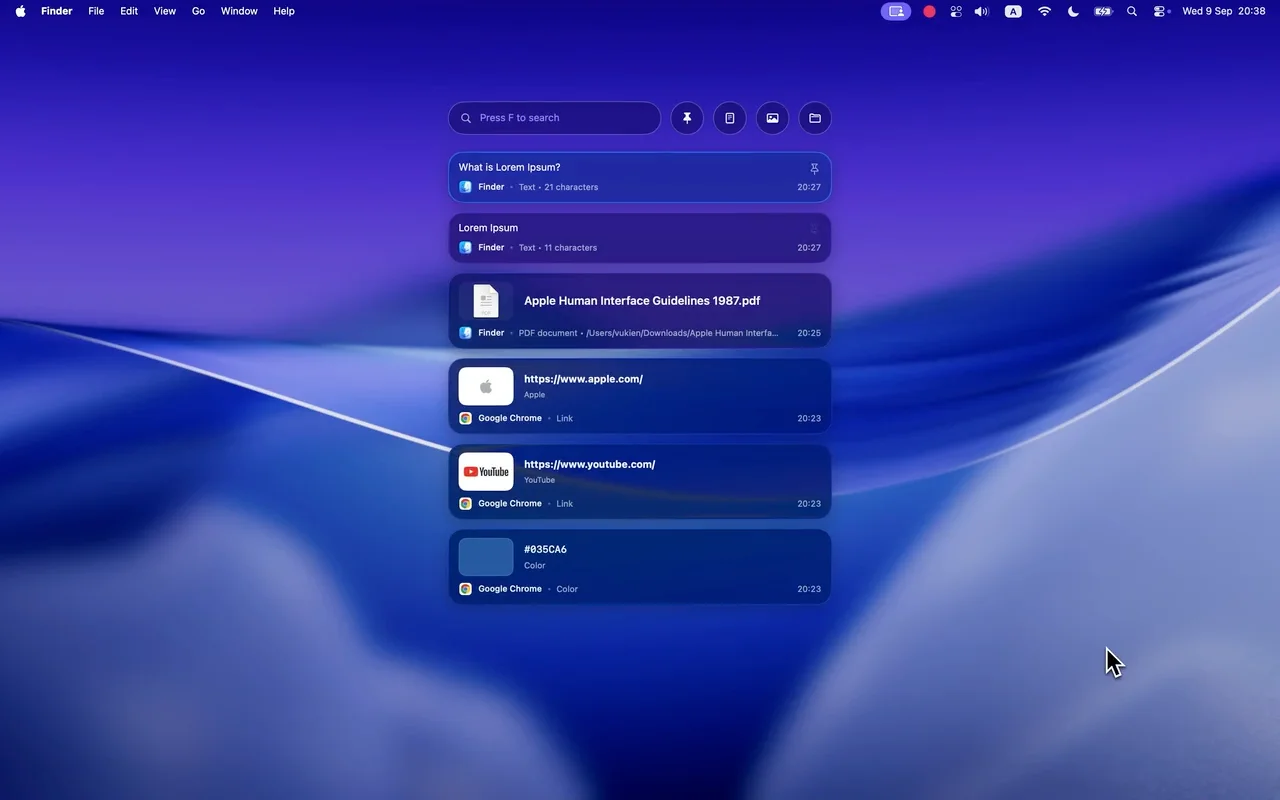
Four things you’ll do every day
Find what you copied
Search the history instead of going back to the source.
Pin what you reuse
Keep snippets and assets at the top.
Preview first
Check an image or long text before pasting.
Filter by type
Show only pinned items, text, images or files.
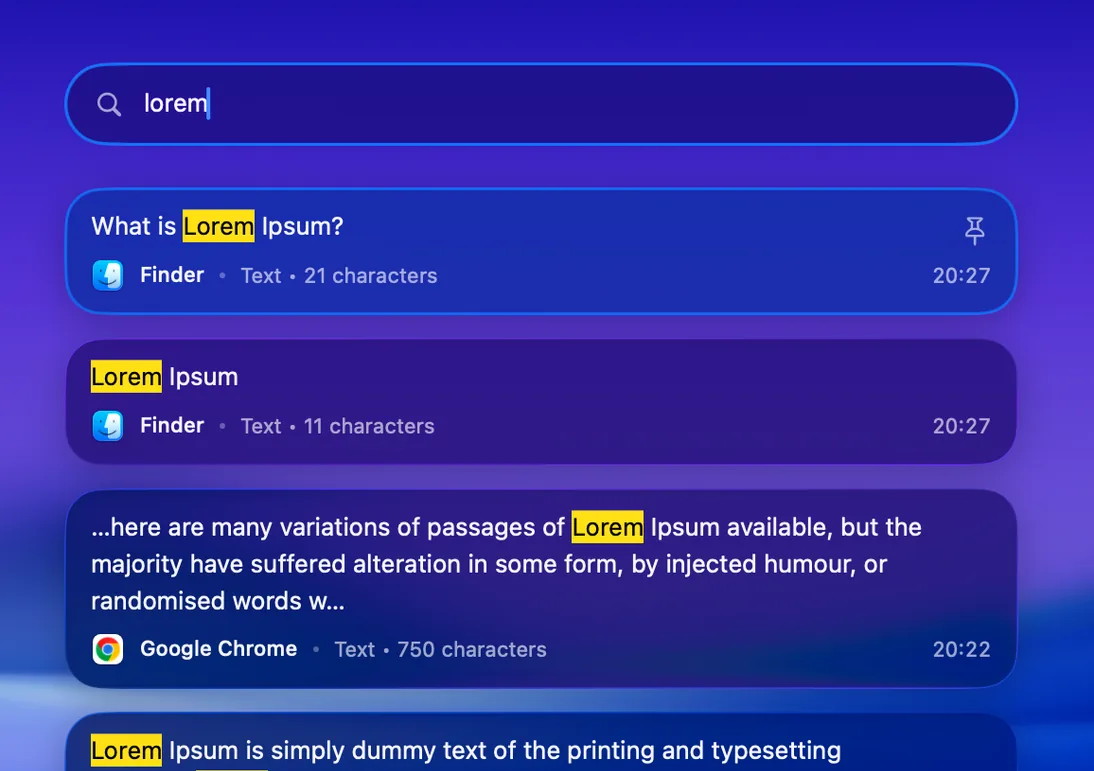
Search
Find it by typing a few letters.
Open the history with ⇧⌘V, then press F and type what you remember. Matching words are highlighted as you search.
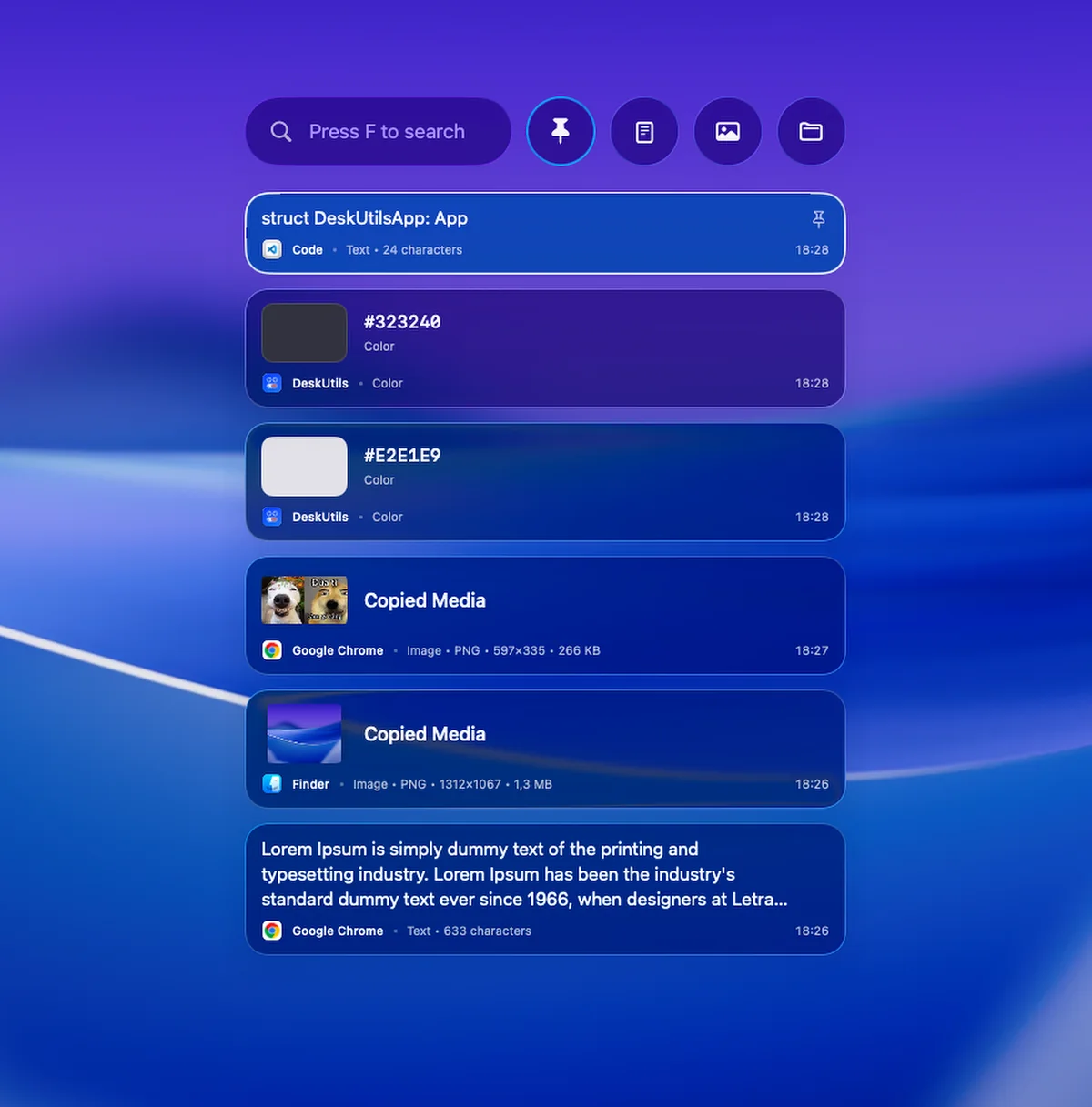
Pin and filter
Keep the things you paste every day at hand.
Pin a snippet or asset so it stays on top, then narrow the list to just the type you need.
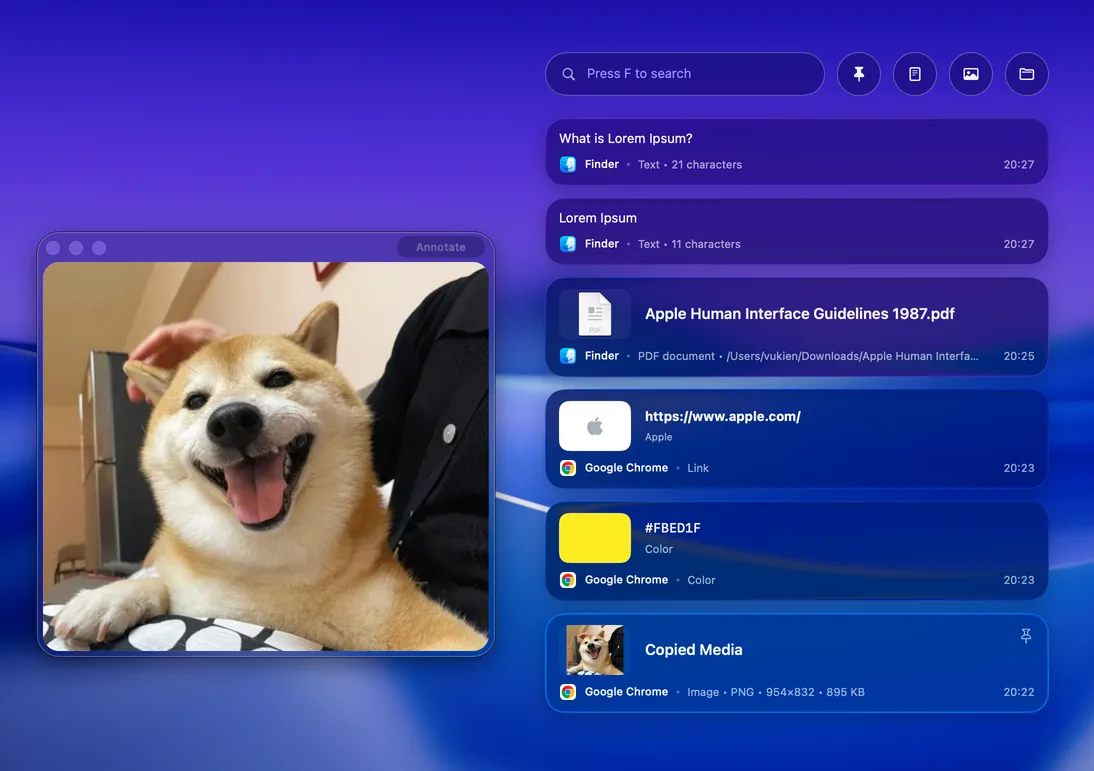
Preview
Check an image or long text before you paste.
Preview a copied image, file, link or color without leaving your clipboard.
Each item shows its source app, type and size, so you paste the right one.
Privacy
What leaves your Mac, and what doesn’t
- Update checks and license validation do not include clipboard content.
- Link previews may fetch page details from the web.
- History, search, preview and Copy work without Accessibility. It is only required for Direct Paste.
Permissions
Accessibility, for pasting directly
History, search, preview and Copy work without it. Accessibility is only required for Direct Paste — pasting an item straight into the app you are using.
How to allow permissions →Clipboard Manager questions
How do I open Clipboard Manager?
Press ⇧⌘V, choose Clipboard Manager from the DeskUtils menu bar icon, or pick Clipboard in Quick Ring.
What does it save?
Text, images, files and links you copy. Each item shows the source app, type, size and time.
How do I search my clipboard history?
Open the history and press F, then type. Matching words are highlighted.
Is my clipboard content sent anywhere?
Network access is used for update checks and, when available, license validation — clipboard content is not included. Link previews may fetch page details from the web.
Why does DeskUtils ask for Accessibility access?
History, search, preview and Copy work without it. Accessibility is only required for Direct Paste — pasting an item straight into the app you are using.